
Intersec Dubai
Your event guide.
A bespoke exhibition space built around your products, technical story and the conversations that matter to your business.
Discuss A Custom Stand ↗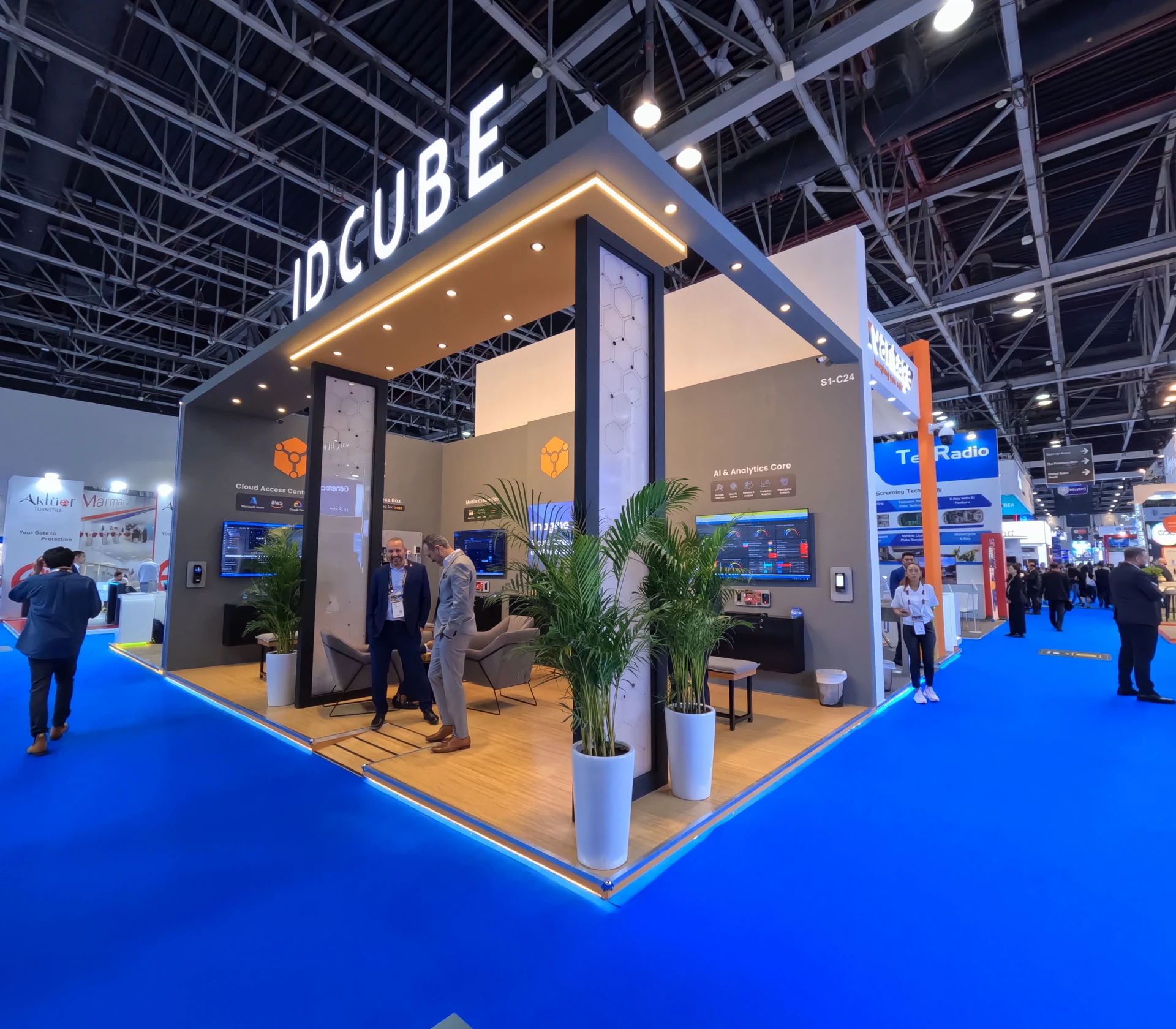 HISTORICAL NUCLEUS WORK / ID Cube - Intersec
What is Intersec Dubai?
Intersec connects businesses working across security, safety and fire protection. It is useful for comparing systems, meeting potential distribution partners and understanding how products are demonstrated to a professional audience. A productive visit starts with the application you need to solve and the people involved in specifying, buying or operating it.
A stand approval does not establish a product’s certification or authorise a specialist demonstration. Those questions must be resolved by the exhibitor and appropriate responsible parties.
Current Organiser Information ↗Venue, location
& arrival planning.
Confirm the hall, entrance and event component on your booking. Exhibition dates are not contractor access or build dates.
Maps identify the venue, not a confirmed entrance or hall. Use current organiser travel guidance for shuttles, parking, pass access and accessibility. Multi-venue events require a separate allocation check.
Make the visit
worth the journey.
Preparation guidance from Nucleus. Admission, programme and ticket entitlements are set by the organiser.
Shortlist by application
Separate physical security, access, monitoring, fire-related and other relevant product interests. Identify which suppliers can address the full use case and which provide only a component. Ask about integration responsibilities before booking a technical discussion.
Prepare a demo checklist
Bring the site conditions, interfaces and operational constraints you need a system to support. Ask what the demonstration represents, which components are needed and who would support installation or maintenance. Avoid treating an impressive display as a completed technical assessment.
Plan commercial and technical meetings separately
A distributor discussion may focus on territory and support, while an integrator meeting needs interface and deployment detail. Keep both routes in your itinerary. Exhibitors can use this distinction to plan a clear display area alongside a more focused meeting setting.
Before booking travel
Check admission eligibility, pass types, current prices and opening hours through the organiser. Confirm the edition, venue, hall and separate programme access. Establish visa and entry requirements for your passport through relevant official channels before making travel commitments.
Plan the daily route
Choose accommodation against your confirmed venue and meeting schedule. Check current travel, entrance and accessibility instructions. Leave buffers between meetings and between sites at multi-venue shows. Keep booking confirmations, badges and a named contact available offline.
Official Registration, Programme & Travel ↗From booked space
to a working brief.
Discuss moving equipment, specialist activities and demonstration boundaries before design sign-off. Safe display, clear visitor circulation and the right utility provision belong in the project brief, not as late additions to an approved visual.
Products, clearly presented
Shape the layout around the scale, visibility and practical demonstration needs of your equipment and systems.
Confidence in the details
Use considered finishes, lighting and brand presentation to support a clear, professional technical story.
Room to qualify and discuss
Balance product discovery with meeting space, quieter conversations, secure storage and day-to-day team needs.
Commercial objectives
Agree target visitors, priority products and the conversations the space must support. Share brand guidelines, the booked allocation, budget context and decision makers.
Design & technical scope
Develop the concept alongside equipment, utilities and operational needs. Identify who supplies each service and who submits drawings. State scope, exclusions and responsibilities clearly in the quotation.
Approvals & production
Work backwards from the current manual’s deadlines and contracted access windows. Confirm materials, artwork and technical submissions before production. This is a planning sequence, not a promised lead time.
Handover & breakdown
Agree checks for finishes, AV, utilities and displays, together with handover and support. Confirm removal, breakdown access and storage or reuse decisions within the contracted scope.
The space type shapes
the design conversation.
These diagrams explain open-side configurations. They are not fixed packages, actual project plans or an official show floor plan.
Island
Open on four sides; consider sightlines, circulation and where private functions sit.
Peninsula
Three open sides; consider the relationship between a backing wall and the visitor approach.
Corner
Two open sides; plan two approaches while keeping displays and meetings coherent.
Inline
One open side; the frontage, depth and visitor threshold become especially important.
Your allocation, dimensions, neighbouring stands and venue rules control what can be developed. Every proposed layout, material choice and cost is tailored to the agreed brief.
Request Current Floor Plan From The Organiser ↗What must your
presence achieve?
Size alone does not define cost. Architecture, finishes, product displays, technical systems, specialist activities, venue services and delivery arrangements determine the project scope.
- Are products being displayed, demonstrated or operated live?
- What equipment weights, mounts, power and data connections are required?
- Which activities need advance organiser review?
- What technical information should be visible and what is shared in a meeting?
- Who owns equipment installation, operation and removal?
Our work.
Your inspiration.
Explore our projects and the events behind them.
A clear brief.
A considered plan.
Define what will be demonstrated
Document equipment dimensions, weights, power requirements and any proposed live demonstrations before design sign-off.
Review specialist requirements
Identify any activity or equipment needing organiser or venue review. Confirm permissions before committing it to the visitor experience.
Plan the submission and build
Check the current exhibitor manual for stand submissions, access, health and safety requirements, and move-in and move-out arrangements. Coordinate venue services with DWTC.
Confirm numerical limits, deadlines and fees through the current manual for your booked edition, hall, structure and activity. No universal stand height, approval deadline or service fee is assumed here.
Clear responsibilities.
Fewer late surprises.
| Responsibility | Confirm before the build |
|---|---|
| Exhibitor & global team | Booking, brand assets, equipment information, approved claims, budget decisions and timely sign-off. |
| Design & delivery scope | Concept, drawings, fabrication, installation, handover and support only as defined in the agreed proposal. |
| Organiser & venue | Current manual, submission route, permissions, access windows and any exclusive technical or service arrangements. |
| Appointed specialists | Freight, customs, specialist handling, product permissions and other services where separately required. |
No universal stand height, approval deadline or service fee is assumed here. Confirm numerical limits and charges for your booked edition, hall, structure and activity through the current official manual.
When and where is Intersec Dubai?
12 January 2027 – 14 January 2027. Dubai World Trade Centre. Duration: 3 exhibition days. Confirm current details and your allocation with the organiser.
How do I register or book exhibition space?
Use the organiser’s official website for registration, eligibility, current fees and space booking. Nucleus’s project brief is for bespoke stand design and delivery; it does not register you for the event.
What should an international exhibitor prepare?
Share your floor plan, open sides, brand assets, products, equipment, demonstration requirements, meeting needs, budget context and decision timeline, plus the current organiser manual.
How is a custom stand priced?
Every proposal is developed from the agreed design and scope. Materials, technical needs, utilities, venue services, specialist work and delivery arrangements inform the quotation. There are no fixed stand packages.
Can the stand accommodate technical products and demonstrations?
The design can be developed around your product dimensions, display priorities and proposed demonstrations. Equipment loads, utilities and any specialist permissions must be confirmed during technical planning.
Bring the ambition.
Let’s shape the space.
Start with your booking and objectives. Develop a bespoke design, an agreed delivery scope and a project-specific quotation.
Event identity, dates and venue are checked against the Official Organiser Listing. Exhibitor Planning Route ↗. Preparation and design guidance is Nucleus editorial content. This Nucleus guide complements the organiser’s official information. Programme, fees, allocations and instructions can change.
Compare With Another Event ↗